Title: Identical Grub entries, Debian and siduction
Post by: keos on 2025/03/28, 13:15:34
Post by: keos on 2025/03/28, 13:15:34
Hello,
Sorry, I'm not a Linux expert. I have Debian-Trixie installed on one partition, I just installed Siduction on another, and in the Grub entries, both are identical: 'Debian GNU sid Trixie' and in Siduction, when I apply 'lsb_release -a', I get this output:
If it weren't for the Grub entry showing the partition number, I wouldn't be able to know which is Debian Trixie and which is Siduction.
I need to know if this is a bug (?)
Thanks for your advice.
Sorry, I'm not a Linux expert. I have Debian-Trixie installed on one partition, I just installed Siduction on another, and in the Grub entries, both are identical: 'Debian GNU sid Trixie' and in Siduction, when I apply 'lsb_release -a', I get this output:
Code Select
keos@keos-hpprobook455156inchg10notebookpc:~$ lsb_release -a
No LSB modules are available.
Distributor ID: Debian
Description: Debian GNU/Linux trixie/sid
Release: n/a
Codename: trixie
keos@keos-hpprobook455156inchg10notebookpc:~$
If it weren't for the Grub entry showing the partition number, I wouldn't be able to know which is Debian Trixie and which is Siduction.
I need to know if this is a bug (?)
Thanks for your advice.
Title: Re: Identical Grub entries, Debian and siduction
Post by: michaa7 on 2025/03/29, 12:04:11
Post by: michaa7 on 2025/03/29, 12:04:11
I do not understand to which entries you refer to.
When you start your computer, the grub menu shows the *kernels* for the partition it is installed on in the above lines, not the release. And the siduction kernel is named as such.
This may depend on where grub is installed, and whether or not you have it updated.
When you start your computer, the grub menu shows the *kernels* for the partition it is installed on in the above lines, not the release. And the siduction kernel is named as such.
This may depend on where grub is installed, and whether or not you have it updated.
Title: Re: Identical Grub entries, Debian and siduction
Post by: dibl on 2025/03/29, 12:30:23
Post by: dibl on 2025/03/29, 12:30:23
Quote from: keos on 2025/03/28, 13:15:34
.... I have Debian-Trixie installed on one partition, I just installed Siduction on another ...
You are confusing "release" and "code name" for Debian. Please review this page
https://www.debian.org/releases/
If you deliberately installed Debian testing, then as you can see it is code named trixie. However, the unstable branch, sid, carries the same code name, so if you install siduction, and run the lsb_release command on it, it will report that it is trixie, until trixie is actually released as the next stable Debian release. Then the code name for testing (and also for sid) will change again.
I hope that helps.
Title: Re: Identical Grub entries, Debian and siduction
Post by: keos on 2025/03/29, 17:00:28
Post by: keos on 2025/03/29, 17:00:28
I don't think I have explained myself well, apparently you didn't understand me, anyway the matter is now irrelevant since I have realized that I have liked Siduction more :) and I have already uninstalled Trixie; contrary to what the experts say, I find Siduction more stable ... :o
Thanks
Thanks
Title: Re: Identical Grub entries, Debian and siduction
Post by: der_bud on 2025/03/29, 18:12:48
Post by: der_bud on 2025/03/29, 18:12:48
Quote from: michaa7 on 2025/03/29, 12:04:11Well, not true for every installation. Probably depends on /etc/default/grub and other files. I have siduction and bookworm in parallel on one machine, and on that one grub shows three lines:
... When you start your computer, the grub menu shows the *kernels* for the partition it is installed on in the above lines, not the release. ...
Code Select
Debian Gnu/Linux
Advanced options for Debian Gnu/Linux
Debian Gnu/Linux
I 'know' that the first one is siduction and the third is bookworm, the kernel names are only visible when I enter the submenu that is behind the 'Advanced...' line ;).
Title: Re: Identical Grub entries, Debian and siduction
Post by: keos on 2025/03/30, 09:47:05
Post by: keos on 2025/03/30, 09:47:05
... and in my case it didn't show kernels either, except for the submenu options you mention ... same as your case, but in mine it showed the partition number.
Title: Re: Identical Grub entries, Debian and siduction
Post by: unklarer on 2025/03/30, 09:54:51
Post by: unklarer on 2025/03/30, 09:54:51
To avoid confusion, I have been doing this for ages via the 40_custom of the 'main boot loader' Grub.
Title: Re: Identical Grub entries, Debian and siduction
Post by: michaa7 on 2025/03/30, 12:57:55
Post by: michaa7 on 2025/03/30, 12:57:55
Quote from: unklarer on 2025/03/30, 09:54:51
To avoid confusion, I have been doing this for ages via the 40_custom of the 'main boot loader' Grub.
LOL
But you prefer to keep the how-to-do-it a secret to keep this thread going on for ever?
Title: Re: Identical Grub entries, Debian and siduction
Post by: scholle1 on 2025/03/30, 14:37:02
Post by: scholle1 on 2025/03/30, 14:37:02
Quote from: keos on 2025/03/28, 13:15:34No.
I need to know if this is a bug (?)
You have installed or updated the boot menu from the other Debian after installing siduction.
For me, there is no other way to reproduce your statement.
When I install the latest KDE ISO from https://testbuilds.siduction.org/ (https://testbuilds.siduction.org/),
the menu entry looks like this:
siduction 2024.1 Shine on ... GNU/Linux, with Linux 6.13.8-1-sicuction-amd64
Siduction does not create a submenu by default.
Siduction uses the file /etc/default/grub.d/siduction.cfg for the boot entry and that line there.
Code Select
GRUB_DISTRIBUTOR="siduction 2024.1 Shine on ..."If you are using Grub from another installation, you are free to customize the /etc/os-release file in siduction. See also <man lsb_release>.
QuoteFILES
/usr/lib/os-release
Distribution-provided file with operating system identification data.
/etc/os-release
Machine-specific file with operating system identification data. If present, /etc/os-release is read instead of /usr/lib/os-release.
Title: Re: Identical Grub entries, Debian and siduction
Post by: unklarer on 2025/03/30, 16:24:15
Post by: unklarer on 2025/03/30, 16:24:15
Quote from: michaa7 on 2025/03/30, 12:57:55Quote from: unklarer on 2025/03/30, 09:54:51
To avoid confusion, I have been doing this for ages via the 40_custom of the 'main boot loader' Grub.
LOL
But you prefer to keep the how-to-do-it a secret to keep this thread going on for ever?
Quote from: ForumYou are ignoring this user
LOL
For all the others, SuFu old Examples:
https://forum.siduction.org/index.php?topic=8256.msg66546#msg66546
https://forum.siduction.org/index.php?topic=9170.msg72719#msg72719
Examples:
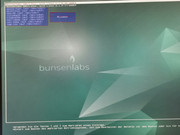
No os-prober is installed here. It would 'inflate' the grub.cfg.
Other test examples
Code Select
#!/bin/sh
exec tail -n +3 $0
# This file provides an easy way to add custom menu entries.  Simply type the
# menu entries you want to add after this comment.  Be careful not to change
# the 'exec tail' line above.
menuentry 'carbon (auf /dev/nvme0n1p5)' {
	insmod ext2
	search --fs-uuid --no-floppy --set=root 89fe80f1-6d71-452d-97de-1dbdc9b9c6ed
	configfile /boot/grub/grub.cfg
}
menuentry 'carbon' {
	insmod part_gpt
	insmod ext2
	search --fs-uuid --no-floppy --set=root 89fe80f1-6d71-452d-97de-1dbdc9b9c6ed
	configfile /boot/grub/grub.cfg
}
menuentry 'carbon' {
	insmod part_gpt
	insmod ext2
	search --fs-uuid --no-floppy --set=root 89fe80f1-6d71-452d-97de-1dbdc9b9c6ed
	linux /vmlinuz root=UUID=89fe80f1-6d71-452d-97de-1dbdc9b9c6ed
	initrd /initrd.img
}
Code Select
#!/bin/sh
exec tail -n +3 $0
# This file provides an easy way to add custom menu entries.  Simply type the
# menu entries you want to add after this comment.  Be careful not to change
# the 'exec tail' line above.
menuentry "siduction-xfce auf /dev/sda2" {
	insmod ext2
	search --fs-uuid --no-floppy --set=root 2156309b-b494-4611-989c-cbd7990494a0
	configfile /boot/grub/grub.cfg
}
menuentry "nox-labwc auf /dev/sda3" {
	insmod ext2
	search --fs-uuid --no-floppy --set=root 44468b50-dcb9-4072-a18d-ff5662497345
	linux /vmlinuz root=UUID=44468b50-dcb9-4072-a18d-ff5662497345
	initrd /initrd.img
}
Here 'do not install bootloader' was selected in the Debian installer. No Grub.
Title: Re: Identical Grub entries, Debian and siduction
Post by: michaa7 on 2025/03/30, 20:13:15
Post by: michaa7 on 2025/03/30, 20:13:15
who is ignoring whom?
confused
confused
Title: Re: Identical Grub entries, Debian and siduction
Post by: keos on 2025/03/30, 23:33:05
Post by: keos on 2025/03/30, 23:33:05
@Scholle1
Just to note... as I said at the beginning, I'm no expert... yes, Grub was on another system, but not on Debian; in fact, it was on openSUSE, but even so, I've never seen two systems mirror each other with the same Grub entries, except for the partition number.
Maybe I did something wrong but now I'll never know since I already uninstalled... Thanks.
QuoteYou have installed or updated the boot menu from the other Debian after installing Siduction.
Just to note... as I said at the beginning, I'm no expert... yes, Grub was on another system, but not on Debian; in fact, it was on openSUSE, but even so, I've never seen two systems mirror each other with the same Grub entries, except for the partition number.
Maybe I did something wrong but now I'll never know since I already uninstalled... Thanks.